

Track Dash 3D Driving Challenge
Reviews
Track Dash 3D Driving Challenge offers a refreshing mix of speed and strategy. The obstacle-laden tracks require quick thinking and precise steering, making each race engaging. The two game modes provide good variety, and the multiplayer option adds replay value. Controls are responsive, and the free browser play is a bonus.
About This Game
Game Introduction
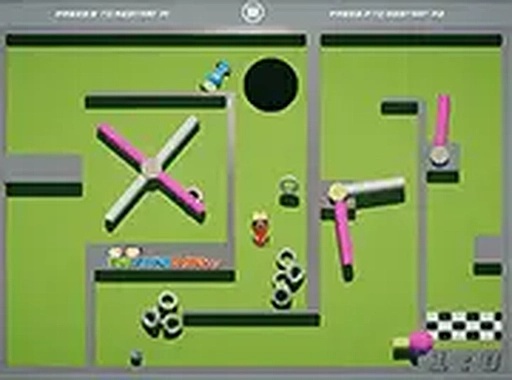
Track Dash 3D Driving Challenge is an online arcade driving game where players take the wheel of a fast vehicle on tracks filled with various obstacles and surprises. The core objective is to navigate each track, steer clear of hazards, and reach the finish line as quickly as possible. What sets this game apart is its blend of high-speed driving with strategic obstacle avoidance, creating a challenging and engaging experience for those who enjoy quick, action-packed races. Designed for desktop browsers, it provides smooth, free-to-play entertainment for casual racers of all skill levels. The game offers two primary modes: a quick race mode for immediate action on a random track, and a season mode where players compete in a series of races to complete a tournament. Your goal is to drive through each track, avoiding obstacles and black holes that can slow you down or end your race. The controls are simple and responsive, making it easy to pick up and play. For the best experience, play on a desktop computer with a keyboard or mouse, and use full screen mode for an immersive view.
How to Play
Players typically control their vehicle using keyboard inputs to steer left and right, accelerate, and brake. The game offers two primary modes: quick race mode, which puts you on a random track for immediate action, and season mode, where you compete in a series of races to complete a tournament. Your goal is to drive through each track, avoiding obstacles and black holes that can slow you down or end your race. The controls are simple and responsive, making it easy to pick up and play. For the best experience, play on a desktop computer with a keyboard or mouse, and use full screen mode for an immersive view.
Game Features
Key features include fast-paced driving action with obstacle avoidance gameplay, two distinct game modes for variety, and free browser play with no downloads required. The tracks are designed with increasing difficulty, keeping the experience fresh and engaging. The controls are simple and responsive, making it accessible for players of all ages. The game runs smoothly on desktop browsers and offers a full screen option for an immersive experience. It also includes a multiplayer option, allowing you to race with a friend for added fun.
Tips for Success
To succeed in Track Dash 3D Driving Challenge, focus on learning the layout of each track to anticipate obstacles and black holes. Practice regularly to improve your reaction times and steering precision. In season mode, consistency is key—aim to finish each race without crashing, even if it means slowing down slightly. Use the quick race mode to warm up and refine your skills before tackling the tournament. Finally, play on a desktop with a keyboard for the most responsive control, and consider using full screen mode to minimize distractions.







Comments
0 comments