Ultimate Word Crossword Puzzle
Reviews
Microsoft Ultimate Word provides a polished crossword experience with adjustable difficulty and board sizes. The hint system makes it accessible for all ages, while the variety of puzzles ensures long-term replayability. It runs smoothly on any device without downloads, making it a convenient brain training tool. The game successfully combines learning with entertainment, offering a relaxing yet challenging word puzzle session every time.
About this game
Game Introduction
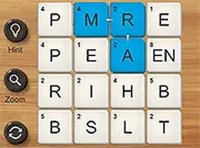
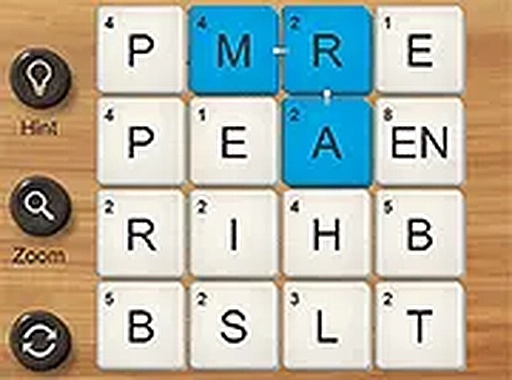
Microsoft Ultimate Word is a crossword puzzle game designed for players who enjoy word challenges. The game provides a clean interface where you select letters to form words that match given clues. You can choose from several board sizes and difficulty settings, making it suitable for both beginners and experienced puzzle solvers. The game runs directly in your web browser without any downloads, and it works smoothly on desktop computers as well as mobile phones and tablets. Playing Microsoft Ultimate Word helps strengthen your English vocabulary and logical thinking in a calm, enjoyable environment. It is a family-safe activity that offers endless puzzles to keep your mind active.
How to Play
To play Microsoft Ultimate Word, start by selecting your preferred board size and difficulty level from the main menu. Use your mouse or touchscreen to tap or click on letters to form words that fit the crossword clues. The game provides hints when you need help, so you never feel stuck. Your objective is to complete the entire crossword grid by finding all the correct words. As you solve puzzles, new ones become available, giving you a steady stream of fresh challenges. The interface is intuitive and responsive, allowing you to play comfortably on any device.
Game Features
Multiple board sizes let you choose shorter or longer puzzles. Adjustable difficulty levels accommodate different skill sets. No downloads are required, so you can start playing instantly. The game is mobile-friendly and works on touch devices. It is family-safe with no inappropriate content. Playing regularly helps improve English vocabulary and cognitive skills.
Tips for Success
To succeed in Microsoft Ultimate Word, start with easier puzzles to build your confidence and vocabulary. Use the hint feature when you get stuck, as it can help you learn new words. Practice regularly to improve your speed and pattern recognition. Focus on common letter combinations and prefixes or suffixes, as these often appear in crossword clues. Staying patient and enjoying the process will make the experience more rewarding.