

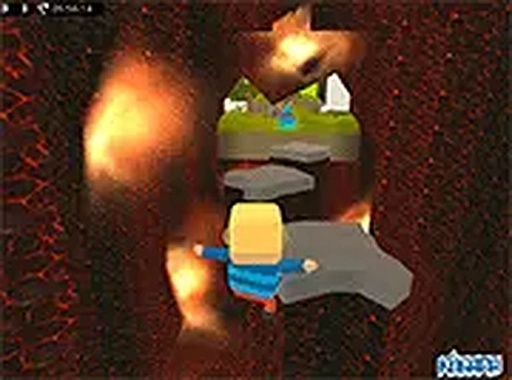
Kogama Parkour Platformer
Reviews
Kogama Parkour Platformer delivers a polished and accessible parkour experience directly in your browser. The crystal collecting adds a satisfying goal to each level, while the multiplayer minigames offer competitive fun with friends. The controls are responsive, and the difficulty curve keeps players engaged without being frustrating. It's an excellent choice for family-friendly gaming.
About This Game
Game Introduction
Kogama Parkour Platformer is a free browser-based action game that brings the excitement of parkour to players of all ages. Set in a vibrant world of platforms and obstacles, the core objective is to navigate each level by jumping from platform to platform while collecting crystals. The game also includes multiplayer minigames where players can race or compete to gather the most crystals. Designed for family-friendly fun, it offers a smooth and engaging experience directly in your web browser without any downloads required. The game is accessible to anyone with an internet connection, making it easy to start playing immediately.
How to Play
Players control a character through a series of platforming challenges. The main goal is to collect crystals scattered throughout each level while avoiding dangerous acid blocks that end the run. Movement is typically handled with keyboard controls, such as arrow keys or WASD, and jumping is performed with the spacebar. In multiplayer minigames, players compete against others online, either racing through courses or vying to collect the most crystals. Timing and precision are key to overcoming increasingly difficult obstacles. The controls are simple to learn, allowing players of all skill levels to jump right in.
Game Features
Key features include fun parkour gameplay that tests jumping and timing skills, crystal collecting that adds a scoring element, and multiplayer minigames for online competition. The game is free to play with no downloads needed, accessible directly from your browser. Full screen mode is available for an immersive experience. Levels increase in difficulty, offering a steady challenge for players. The game is suitable for all ages and provides a simple yet rewarding experience. Players can enjoy both solo play and competitive multiplayer modes, adding variety to the gameplay.
Tips for Success
Practice your timing and jumping skills to navigate tricky platforms. Focus on collecting as many crystals as possible to maximize your score. In multiplayer modes, learn the layout of each course to gain an edge over opponents. Stay alert for acid blocks and plan your route to avoid them. Regular practice will help you master the controls and improve your performance in both single-player and multiplayer challenges. Consistency is key to progressing through the more difficult levels.






Comments
0 comments