Traffic Speed Driver Arcade Game
Reviews
Traffic Speed Driver offers a straightforward yet engaging driving arcade experience. The click-to-change-lane controls are intuitive, allowing players to focus on navigating through denser traffic. The increasing difficulty keeps the game challenging without being frustrating. Vibrant road environments and clear visuals help players anticipate obstacles. It is a perfect choice for short gaming sessions or for players who enjoy testing their reflexes. The game is free and browser-based, making it easily accessible.
About this game
Game Introduction
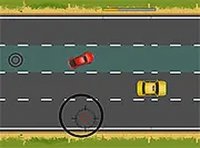
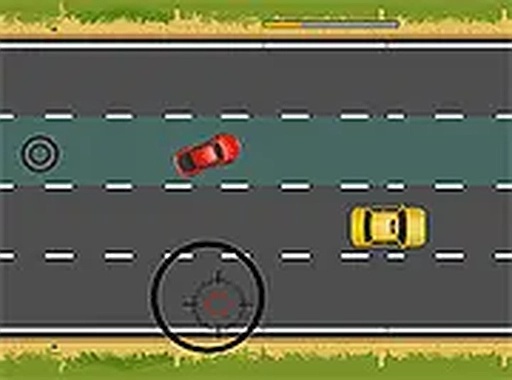
Traffic Speed Driver is a driving arcade game where the player navigates a vehicle through increasingly dense traffic. The car moves forward automatically, and the player controls its lane position by clicking on the road. The core objective is to avoid other vehicles and roadblocks that appear ahead. Each level introduces new obstacles and denser traffic, making the game progressively more engaging. With simple controls and clear visuals, this game is suitable for players of all ages who enjoy quick reflex challenges. The game is free to play in a browser and offers a straightforward challenge that is easy to pick up. The increasing difficulty keeps players engaged without overwhelming them, making it a good choice for short gaming sessions or for players who enjoy testing their reflexes.
How to Play
To play Traffic Speed Driver, use a mouse or finger to click on the road and change lanes. The car moves forward on its own, so the main task is to steer it away from obstacles. Watch for cars, trucks, and barriers that appear ahead. Stay focused and react quickly to avoid collisions. As the player progresses, traffic becomes denser, making each level more exciting. One wrong move can end the run, so drive carefully and plan lane changes wisely. The controls are simple and intuitive, allowing players to focus on timing and observation.
Game Features
Traffic Speed Driver features fun driving mechanics with simple click-to-change-lane controls. The game includes increasing difficulty levels that challenge the player's reflexes. Vibrant road environments provide clear visuals to help players anticipate obstacles. The game is free and browser-based, requiring no downloads or installation. Players can enjoy quick sessions or longer play periods as they improve their skills.
Tips for Success
Practice regularly to improve reaction times. Focus on the road ahead to anticipate obstacles early. Plan lane changes carefully to avoid sudden moves. Stay calm under pressure, as panicking can lead to mistakes. Take breaks if needed to maintain focus and enjoyment.